Drawing Intelligence Agents for Construction

Palladio AEC Agents read full drawing sets, automate takeoff, estimate total project cost, surface value‑engineering options, and let your team ask questions or explore design ideas in natural language.

Book your demo today

More of out prestigious clientele

Problems

Your Drawings Hide Millions in Decisions.

Preconstruction teams are buried in PDFs and sheets. Manual takeoffs, vendor-driven pricing, and opaque drawings make it easy to overpay and miss value‑engineering opportunities before the job even goes to bid.

After

Before

Opaque Cost Drivers

Key cost drivers are buried across plans, elevations, schedules, and specs—making it hard to see what really moves the budget.

Manual Takeoffs & Spreadsheets

Estimators spend days clicking through PDFs and updating fragile spreadsheets just to get a baseline quantity takeoff.

Overspecified Materials

Doors, glazing, finishes, and MEP often get overspecified, adding 5–15% to CapEx with no meaningful change in performance.

Slow Q&A on Design

Answering basic questions like “what if we change this door type?” requires pinging multiple teams and waiting for updated drawings.

Agents

Ecosystem of Construction Drawing Agents

A domain‑trained, verification‑first micro‑agent system that parses drawing sets, runs automated takeoff and cost estimates, explores value‑engineering options, and helps teams reason about design in natural language.
Drawing Ingestion & Structuring

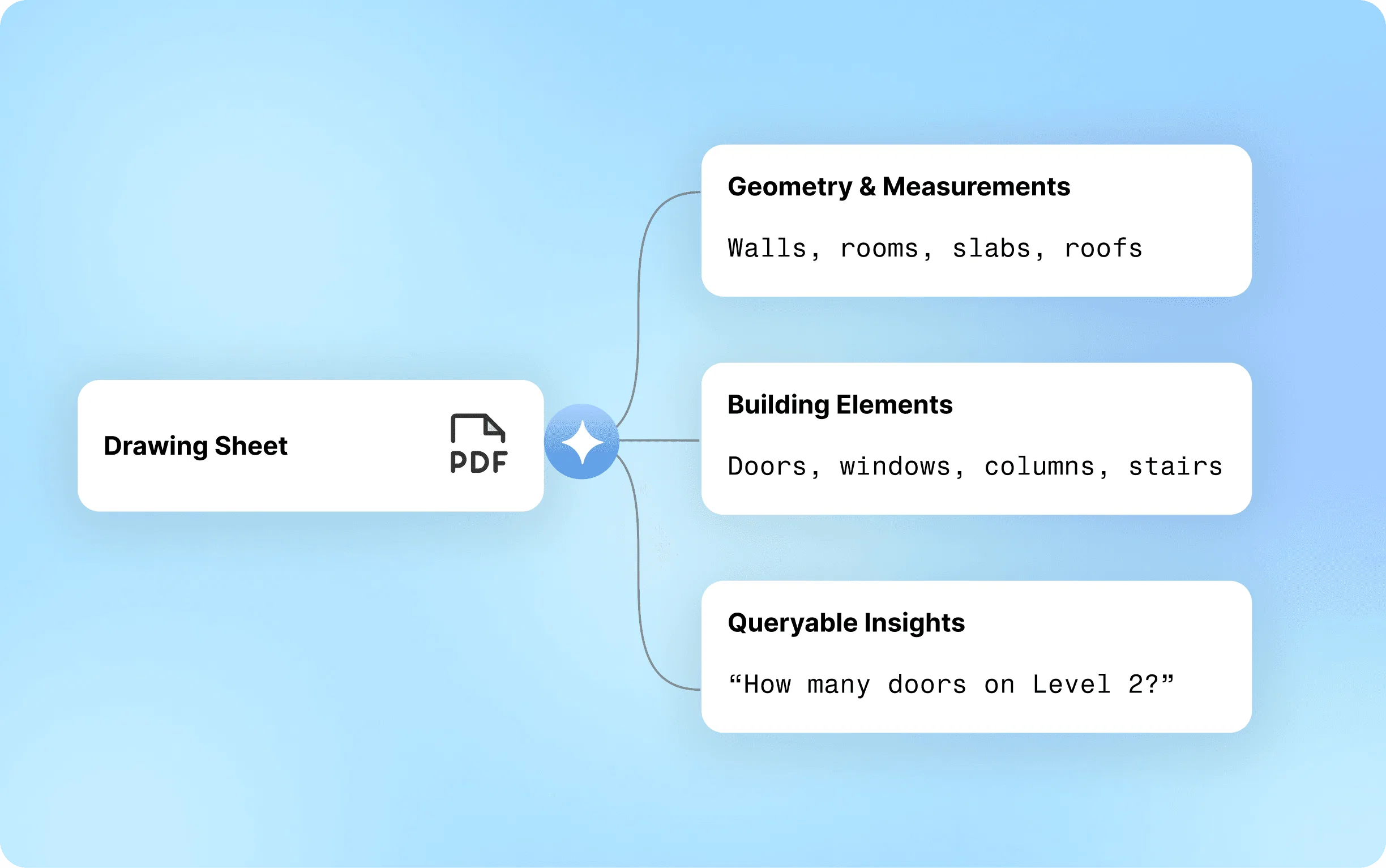
Ingests full plan sets—plans, elevations, sections, schedules—and builds a linked, queryable representation of the project.

Automated Takeoff Engine

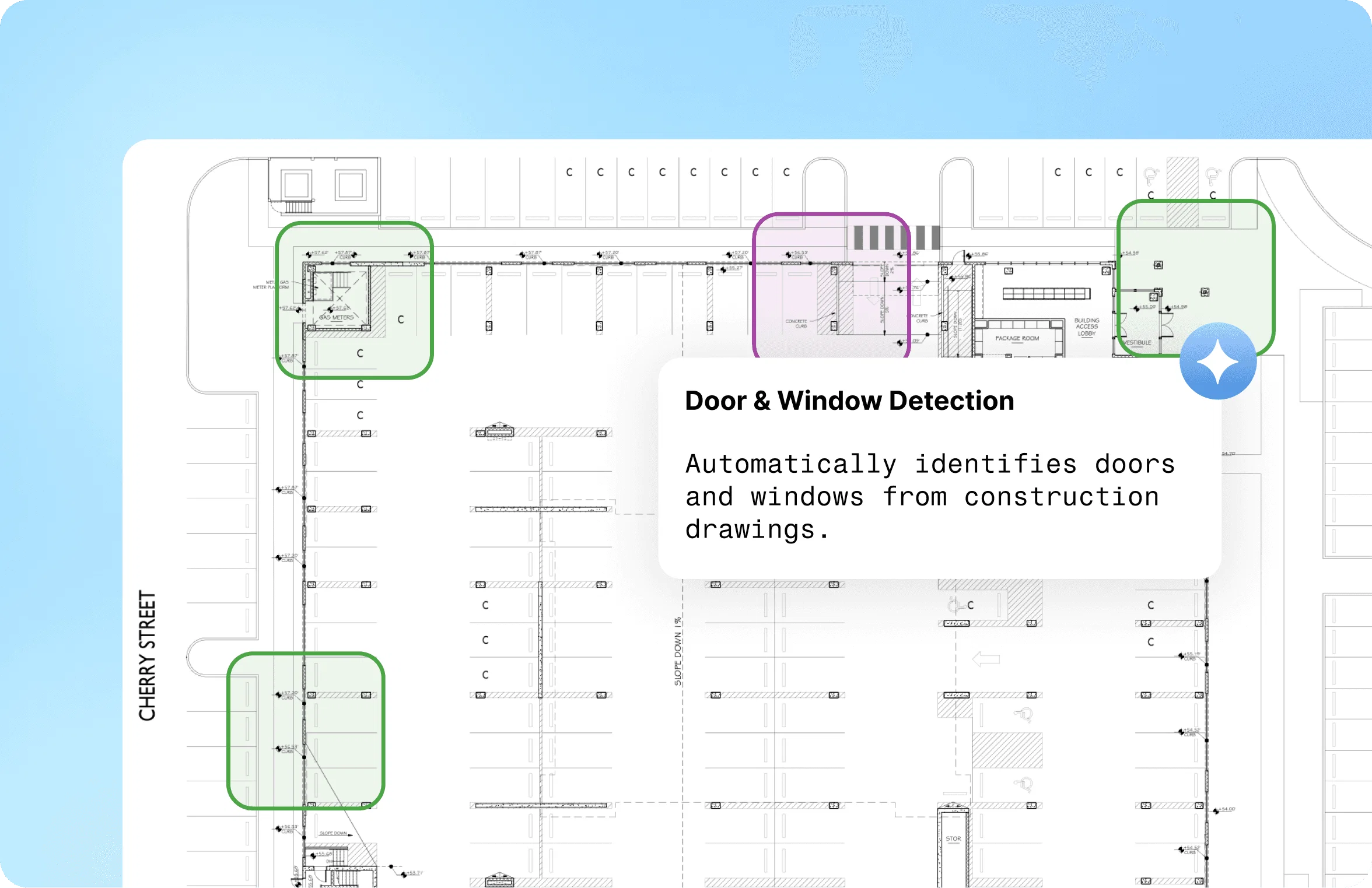
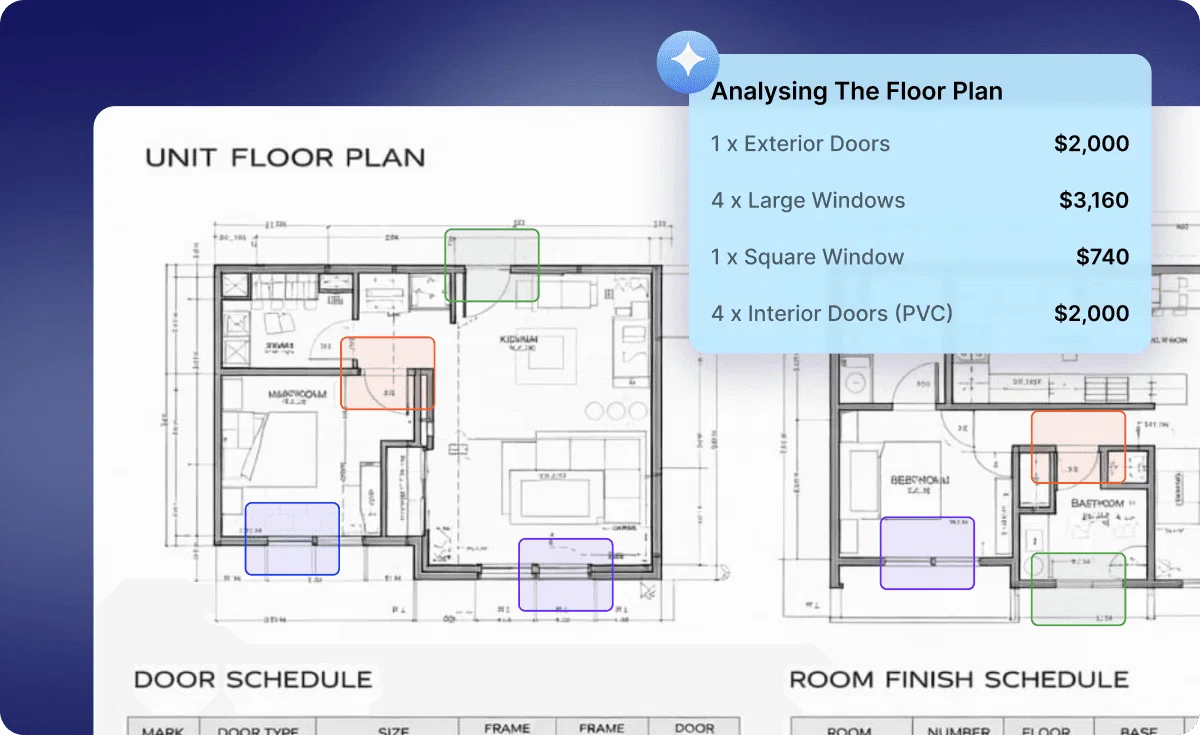
Generates quantity takeoffs for doors, windows, walls, finishes, and more, with traceable links back to the source sheets.

Cost & Budget Intelligence

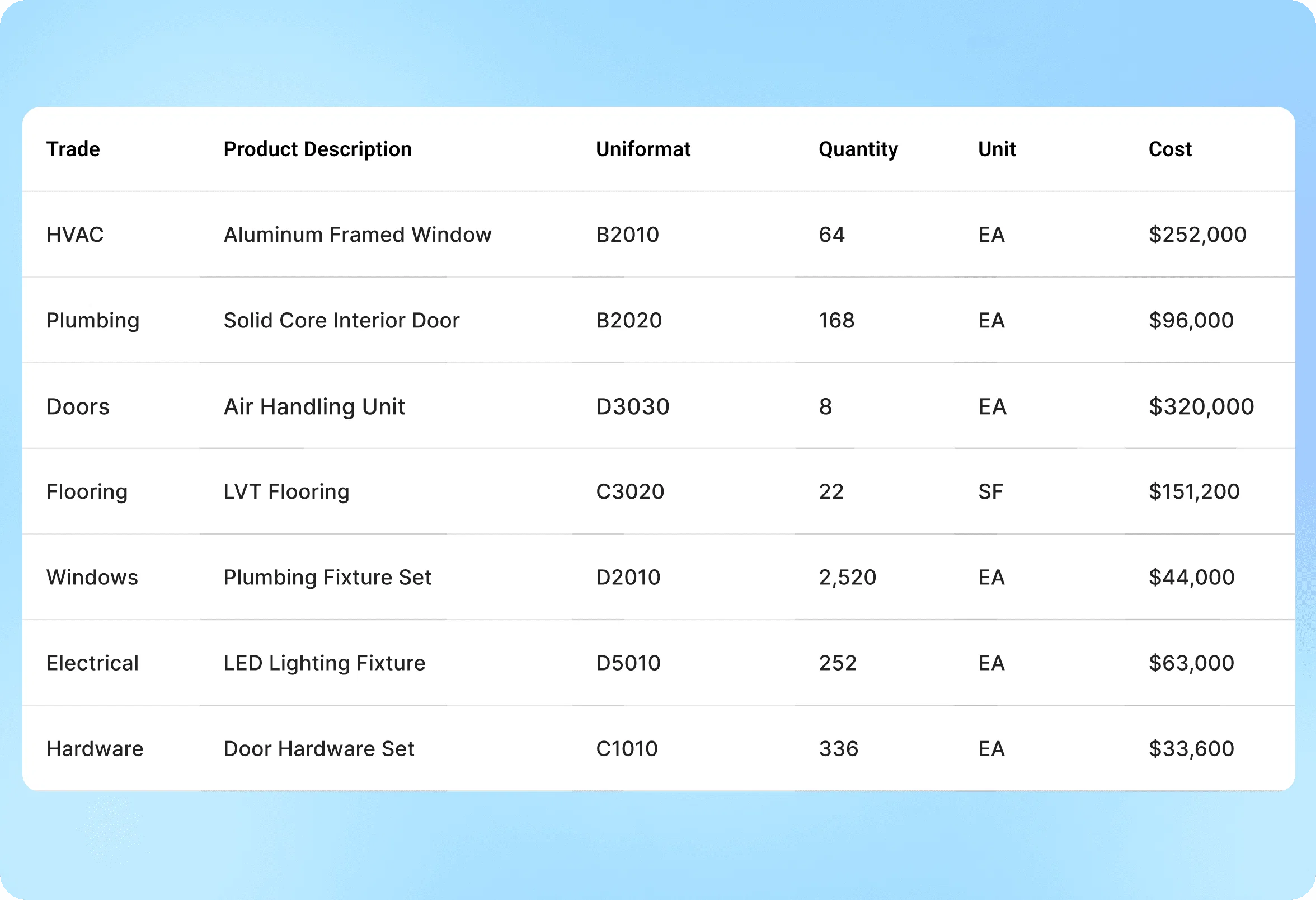
Combines quantities with cost libraries to estimate total project cost and highlight the assemblies that move the budget most.

Product & Spec Matching

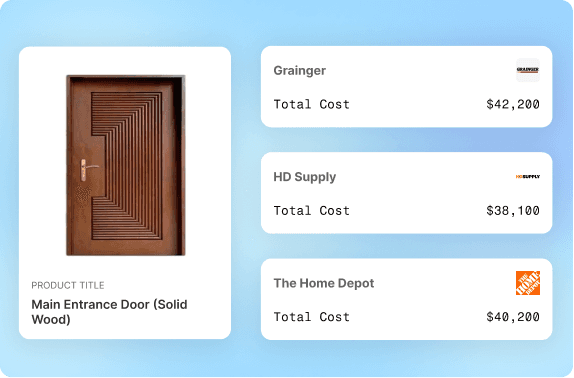
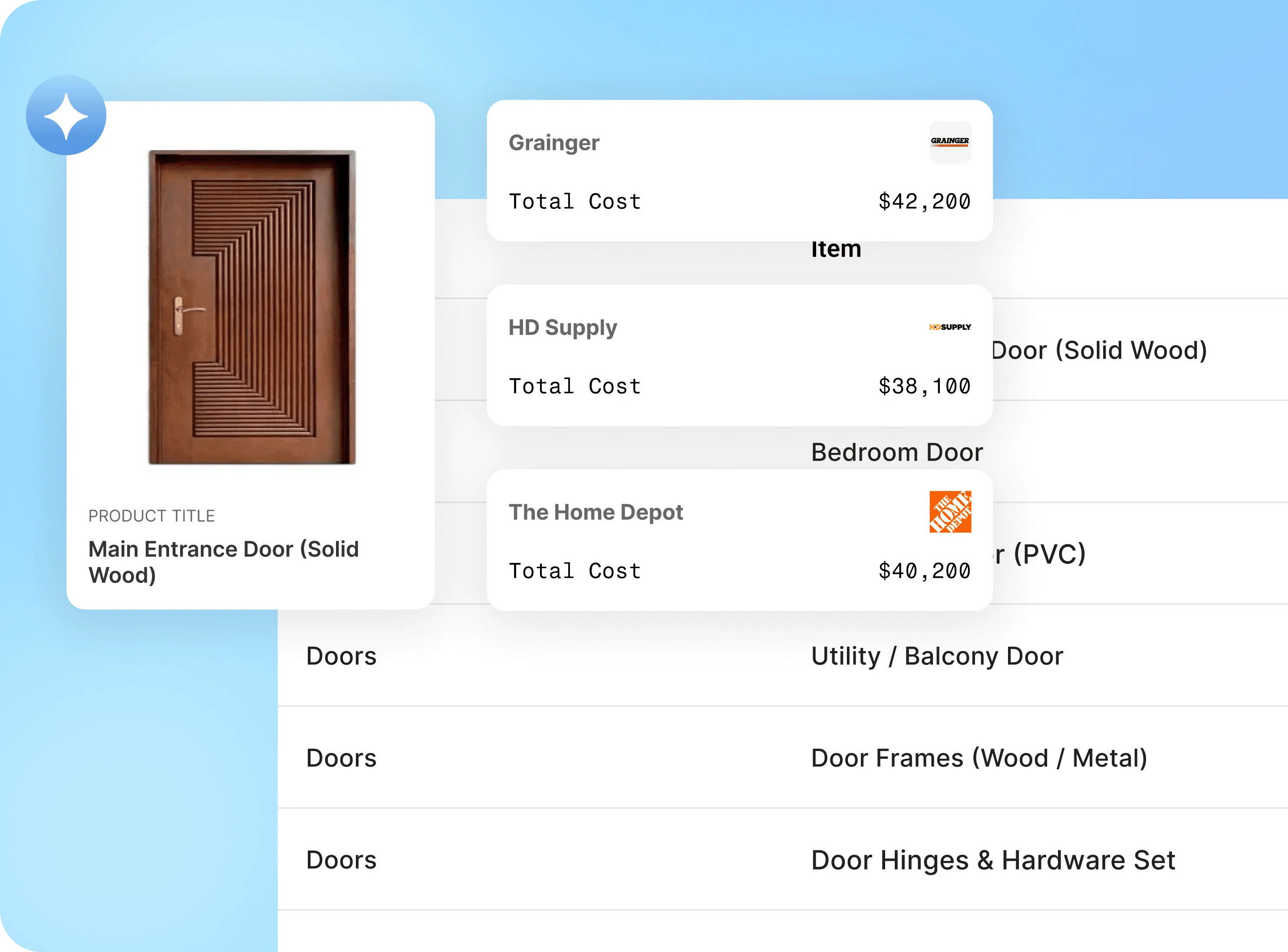
Maps specified elements to real products and alternates—linking drawings to catalogs, vendor SKUs, and procurement options.

Drawing Q&A Copilot

Lets teams ask questions like “where are all Type G doors?” or “how many SF of tile are in unit A1 bathrooms?” and get instant, cited answers.

Value‑Engineering Explorer

Surfaces VE options—by door packages, glazing ratios, finishes, and more—with estimated savings and tradeoffs for developers and owners.

Logo

Results

Developer-Ready Impact

Real, measurable impact from preconstruction—faster budgets, clearer VE options, and project‑level savings that move IRR, not just line items.
0%

Faster preconstruction analysis

0%

CapEx savings identified

0%

CapEx savings identified

0%

Fewer RFIs & redesign loops

Casestudy

Developers & Owners

Trusted by developers, owners’ reps, and GC partners looking to de‑risk budgets and lock in VE savings before GMP.


Multifamily Developer VE Program

Ran AI‑driven VE across a multi‑building residential project to identify hundreds of thousands in savings on doors, glazing, and finishes.

Multifamily Developer VE Program

Ran AI‑driven VE across a multi‑building residential project to identify hundreds of thousands in savings on doors, glazing, and finishes.

Multifamily Developer VE Program

Ran AI‑driven VE across a multi‑building residential project to identify hundreds of thousands in savings on doors, glazing, and finishes.

From Drawings to Negotiation Leverage

Gave the owner a structured bill of quantities and VE menu they could take into GC and supplier negotiations.

From Drawings to Negotiation Leverage

Gave the owner a structured bill of quantities and VE menu they could take into GC and supplier negotiations.

From Drawings to Negotiation Leverage

Gave the owner a structured bill of quantities and VE menu they could take into GC and supplier negotiations.

  • Owner‑controlled overrides

  • Project‑level VE savings

  • Traceable assumptions & citations

Steps

How It Works

Step 1

Ingest Drawing Sets

Ingest Drawing Sets

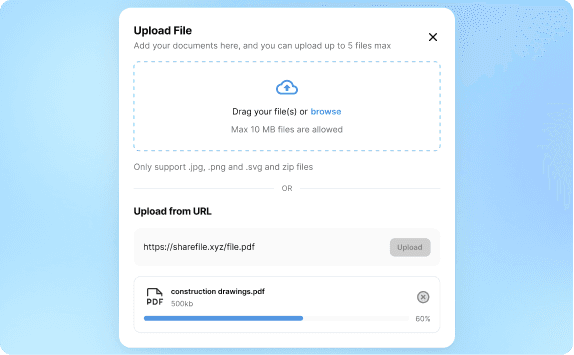
Upload architectural, structural, and MEP plans, elevations, sections, and schedules from PDFs, BIM exports, or shared drives.

Step 2
Structure & Link Entities

Structure & Link Entities

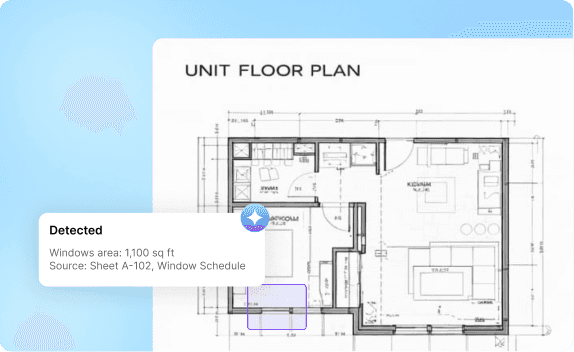
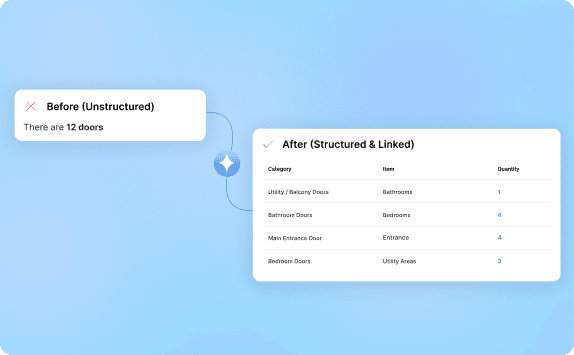
The agent parses sheets, tags units, rooms, and elements, and builds a linked graph of your building.

The agent parses sheets, tags units, rooms, and elements, and builds a linked graph of your building.

The agent parses sheets, tags units, rooms, and elements, and builds a linked graph of your building.

Step 3

Automated Takeoff

Automated Takeoff

Generates quantity takeoffs with citations back to drawing locations and schedules.

Step 4
Cost & VE Engine

Cost & VE Engine

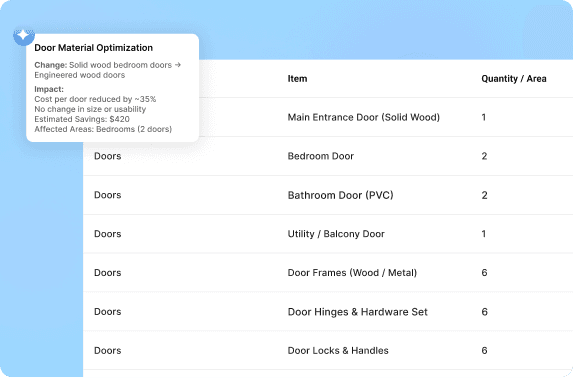
Applies cost libraries to estimate total project cost and highlight where VE will move the budget most.

Applies cost libraries to estimate total project cost and highlight where VE will move the budget most.

Applies cost libraries to estimate total project cost and highlight where VE will move the budget most.

Step 5

Product & Spec Matching

Product & Spec Matching

Maps elements to products and alternates, with links out to suppliers and procurement workflows.

Step 6
Ask & Explore with AI

Ask & Explore with AI

Ask & Explore with AI

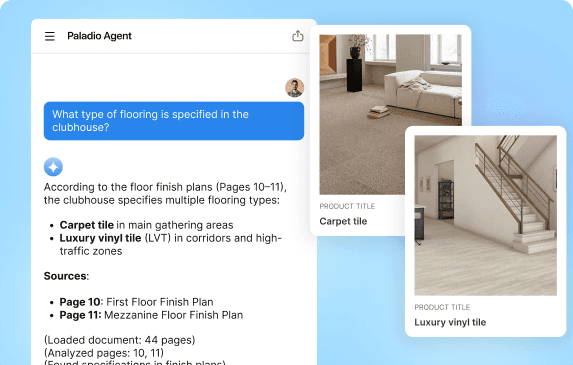
Use natural language to ask questions about the drawings, run scenarios, and explore new design options—grounded in your project data.

Use natural language to ask questions about the drawings, run scenarios, and explore new design options—grounded in your project data.

Use natural language to ask questions about the drawings, run scenarios, and explore new design options—grounded in your project data.

Teams

Built for Developers & Project Stakeholders

A shared understanding of the project for everyone who cares about cost, risk, and design.

Developers & Owners

See where the money really goes, compare VE options, and improve IRR before committing to a budget.

Developers & Owners

See where the money really goes, compare VE options, and improve IRR before committing to a budget.

Developers & Owners

See where the money really goes, compare VE options, and improve IRR before committing to a budget.

GC & Precon Teams

Start from a structured bill of quantities and VE menu instead of rebuilding takeoffs from scratch.

GC & Precon Teams

Start from a structured bill of quantities and VE menu instead of rebuilding takeoffs from scratch.

GC & Precon Teams

Start from a structured bill of quantities and VE menu instead of rebuilding takeoffs from scratch.

Architects & Designers

Explore “what‑if” design changes with immediate cost feedback, instead of waiting for another round of estimates.

Architects & Designers

Explore “what‑if” design changes with immediate cost feedback, instead of waiting for another round of estimates.

Architects & Designers

Explore “what‑if” design changes with immediate cost feedback, instead of waiting for another round of estimates.

Cost & Finance Teams

Connect project costs to pro forma models and track how design decisions impact returns.

Cost & Finance Teams

Connect project costs to pro forma models and track how design decisions impact returns.

Cost & Finance Teams

Connect project costs to pro forma models and track how design decisions impact returns.

Integration

Plugs into Your AEC Stack

Connect in minutes using PDFs, BIM exports, shared folders, or direct APIs.

Connect to Content

Add layers or components to infinitely loop on your page.

Make Every Drawing Set Understandable — Structured, Searchable, Cost‑Aware.

POC in 7 days. Start with a single project and see the VE savings and insight unlocked.

No commitment required. Let's just explore what's possible.