More of out prestigious clientele



Problems
Your Drawings Hide Millions in Decisions.
Preconstruction teams are buried in PDFs and sheets. Manual takeoffs, vendor-driven pricing, and opaque drawings make it easy to overpay and miss value‑engineering opportunities before the job even goes to bid.
For Developer
Opaque Cost Drivers
Key cost drivers are buried across
plans, elevations, schedules, and
specs—making it hard to see what
really moves the budget.
For Contractors
Manual Takeoffs &
Spreadsheets
Estimators spend days clicking
through PDFs and updating fragile
spreadsheets just to get a baseline
quantity takeoff.
For Contractors
Overspecified
Materials
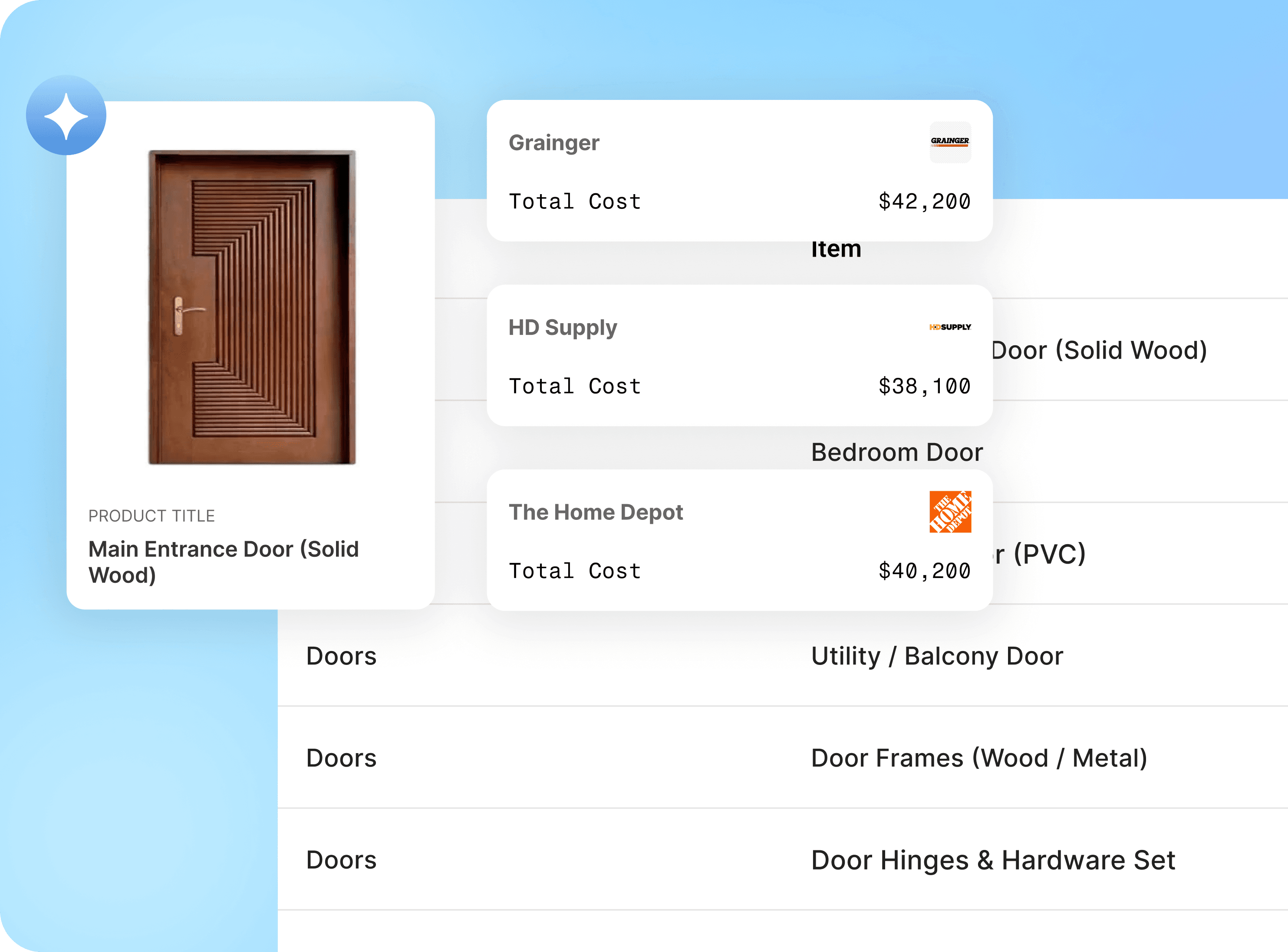
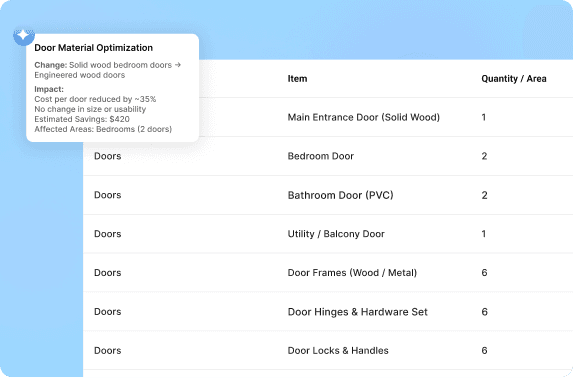
Doors, glazing, finishes, and MEP
often get overspecified, adding 5–
15% to CapEx with no meaningful
change in performance.
For Contractors
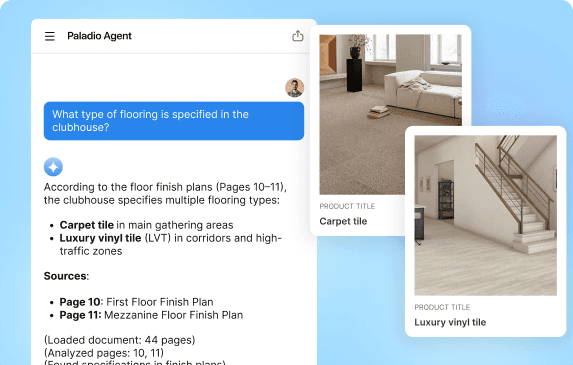
Slow Q&A on Design
Answering basic questions like
“what if we change this door type?”
requires pinging multiple teams and
waiting for updated drawings.
Agents
Ecosystem of Construction Drawing Agents
A domain‑trained, verification‑first micro‑agent system that parses drawing sets, runs automated takeoff and cost estimates, explores value‑engineering options, and helps teams reason about design in natural language.
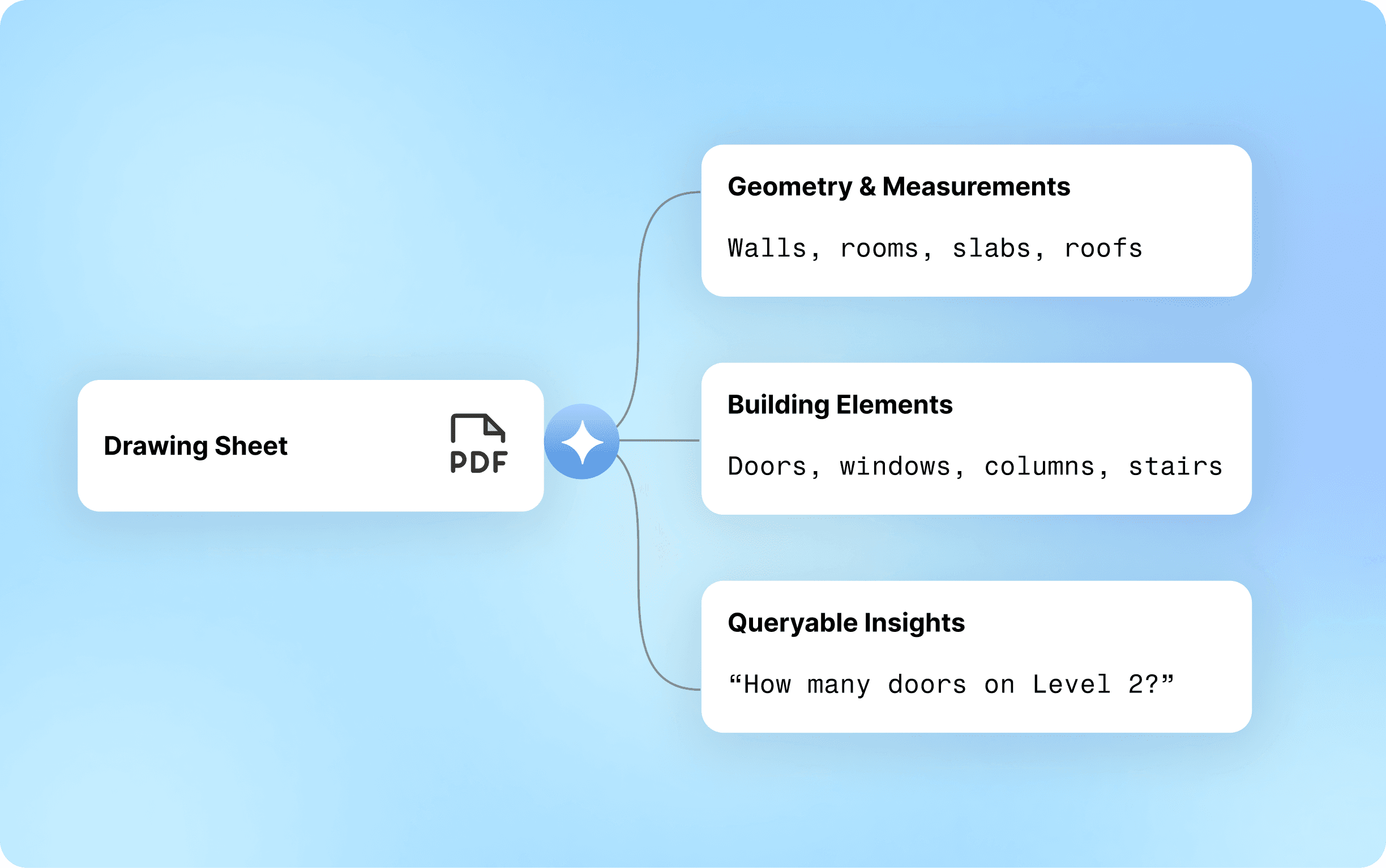
Drawing Ingestion & Structuring
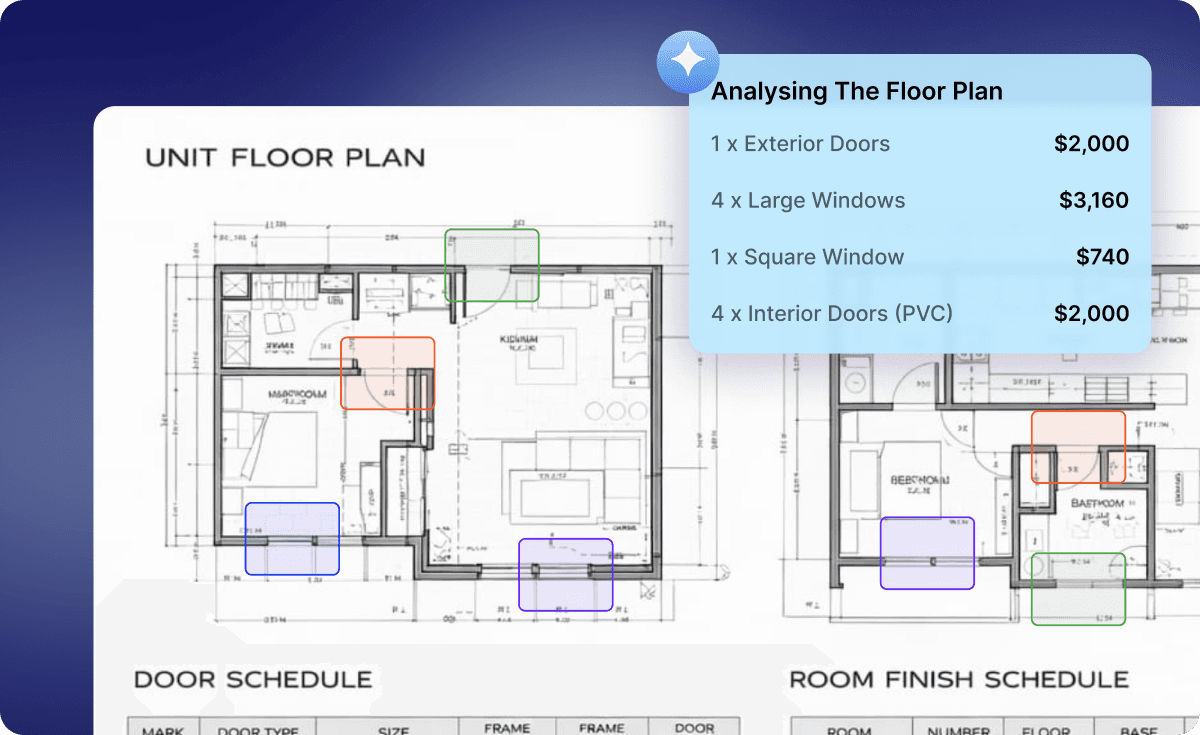
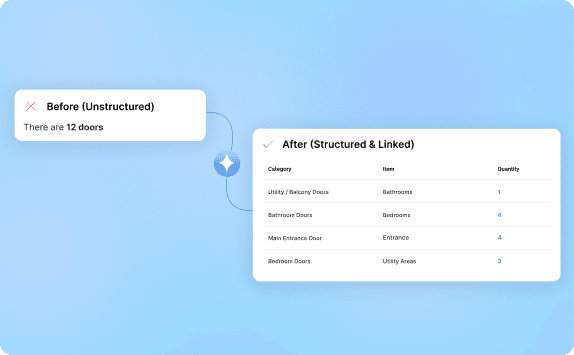
Ingests full plan sets—plans, elevations, sections, schedules—and builds a linked, queryable representation of the project.
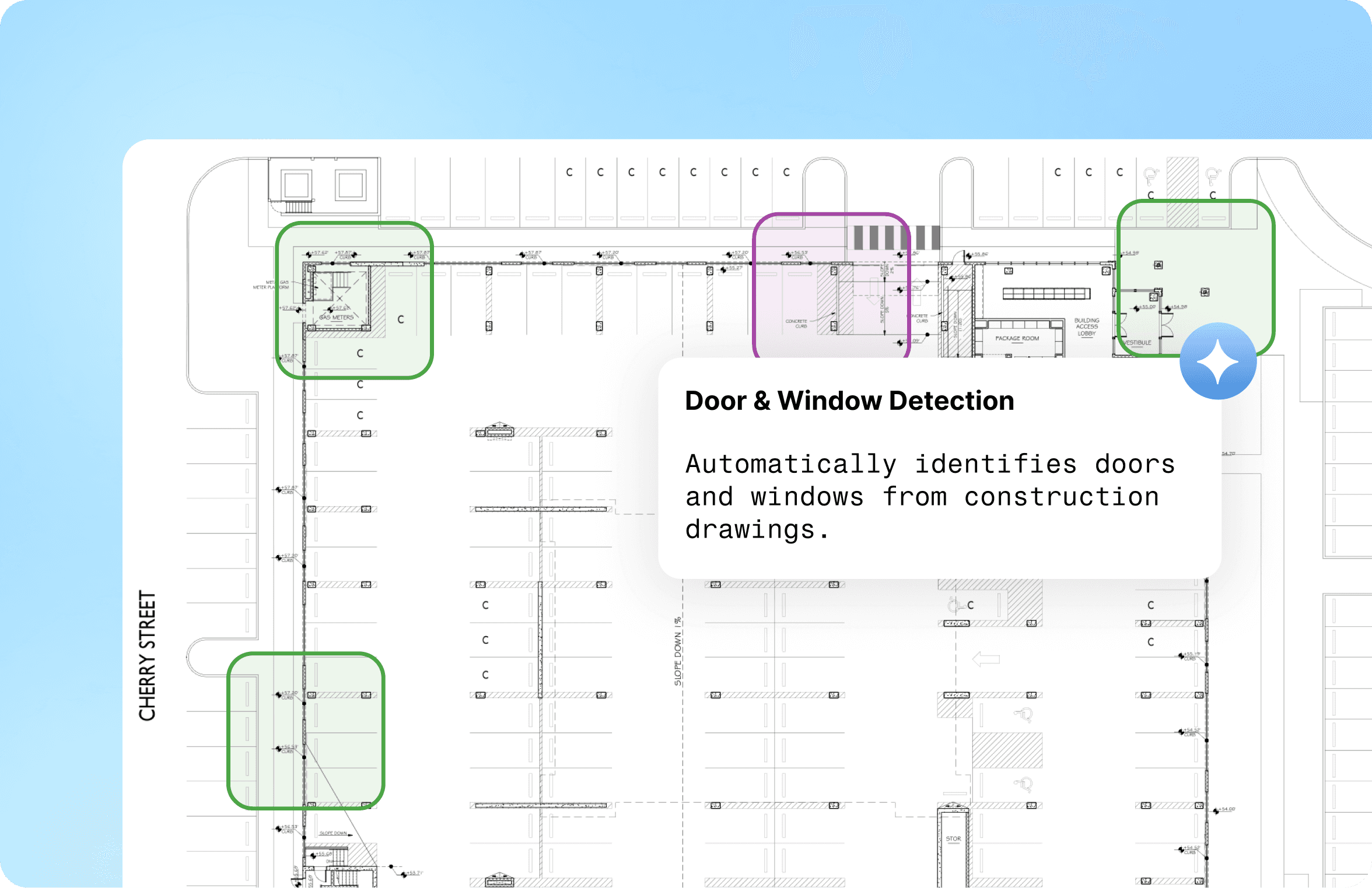
Automatic Plan Detection
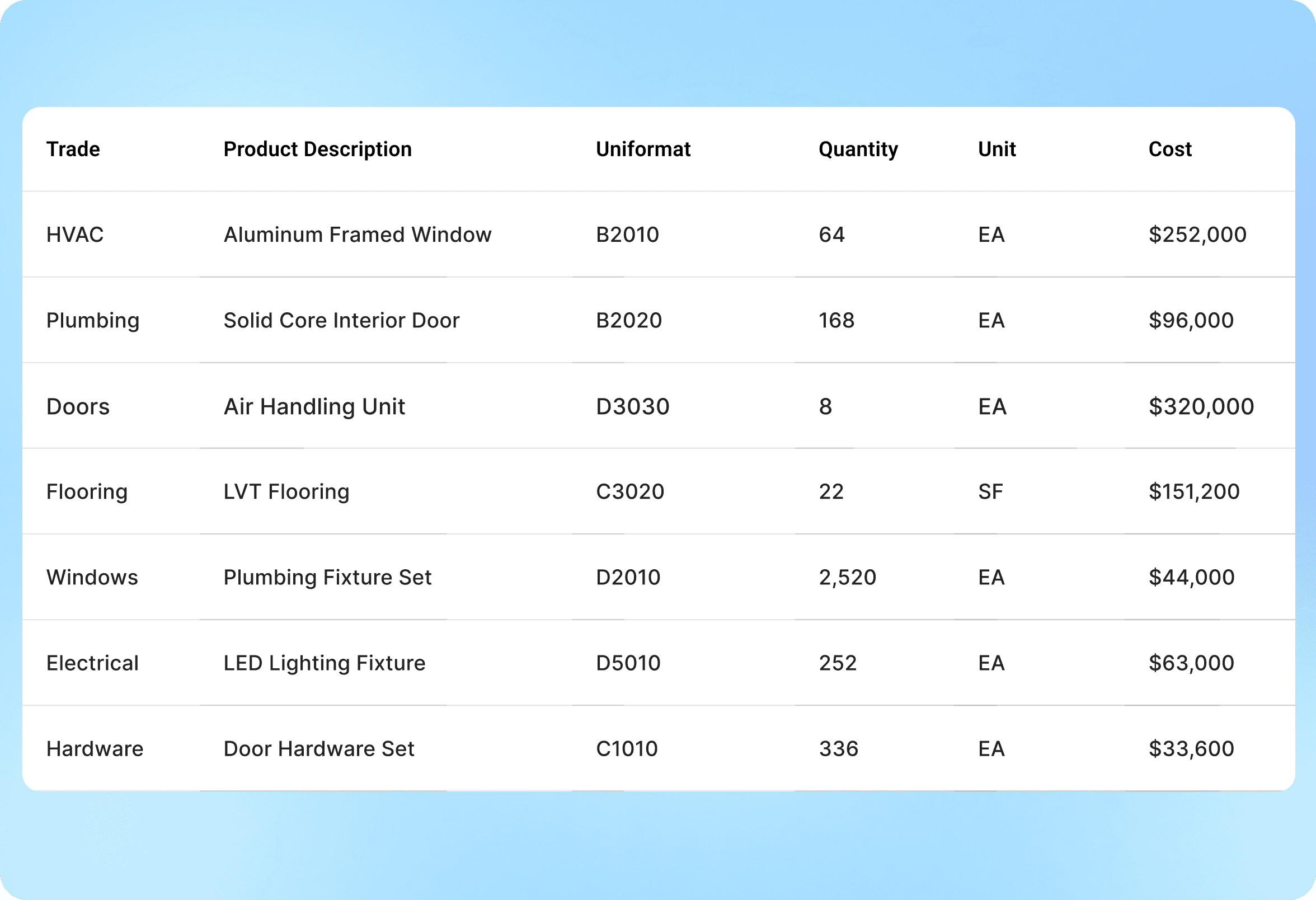
AI-Driven Quantity Takeoffs
Calculates lengths, areas, and counts directly from drawings for fast, accurate estimates.

The agent plugs directly into your PIM, ERP, marketplace system,
vendor onboarding flow, or internal product DB—zero workflow
Results
Developer-Ready Impact
Real, measurable impact from preconstruction—faster budgets, clearer VE options, and project‑level savings that move IRR, not just line items.
Casestudy
Developers & Owners
Trusted by developers, owners’ reps, and GC partners looking to de‑risk budgets and lock in VE savings before GMP.


Steps
How It Works
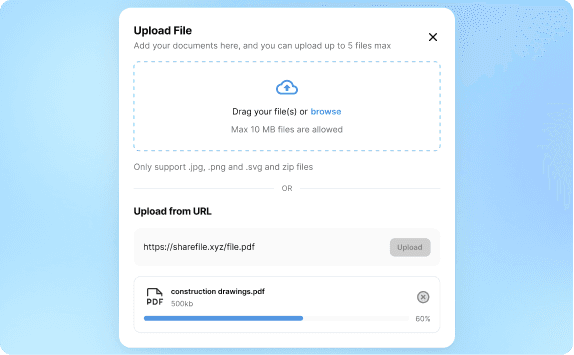
Step 1
Upload architectural, structural, and MEP plans,
elevations, sections, and schedules from PDFs, BIM exports, or shared drives.
Step 2
Step 3
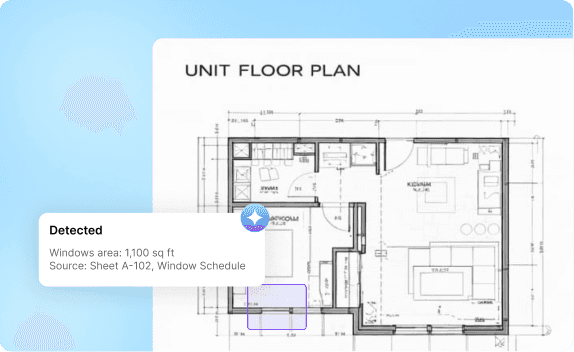
Generates quantity takeoffs with citations back to
drawing locations and schedules.
Step 4
Step 5
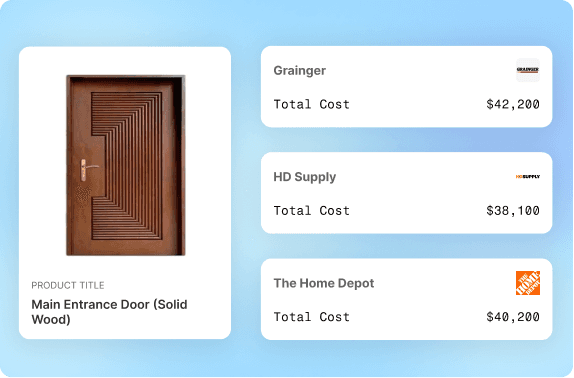
Maps elements to products and alternates, with links out to suppliers and procurement workflows.
Step 6
Integrations
Plugs into Your AEC Stack
Connect in minutes using PDFs, Cloud or Shared Drive folders
Got your BIM or Procure
Let's Talk
